
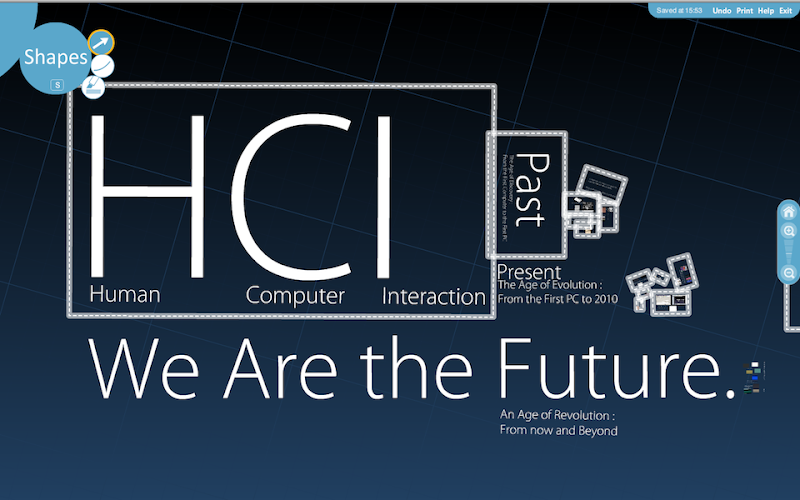
The Past
In 1970, Alan Kay arrived at the just-formed Xerox PARC inspired by his vision of a laptop computer for ordinary users. Back then, the personal computer was a dream shared by a few wild souls. There were a handful of minicomputers (e.g., the PDP11 appeared in 1970), but those machines were for engineers and scientists, of course. Kay and other PARC engineers (including Butler Lampson and Chuck Thacker) started developing computers with the extraordinary idea of giving them to ordinary people. Kay was also working on Smalltalk (a language for kids), leading to Smalltalk-72 soon after. His laptop-style Dynabook was infeasible in the 1970s, but the group did produce the Xerox Alto desktop computer in 1973. The Alto had a mouse, Ethernet, and an overlapping window display. It was a technical marvel, but not necessarily easy to use. There was mouse functionality, but it was mostly a “text-oriented” machine. It also lacked a killer app (lesson 1). While the Alto was developed for ordinary users, it was not clear at the time what that market really looked like (lesson 2). Most Altos appear to have been sold or given away to engineering labs.
In 1976 Don Massaro from Xerox’s office products division pushed ahead a personal computer concept for office environments called the Star. A separate development division was created for the Star and headed by David Liddle. It worked closely with PARC, but was not part of PARC. The Star is rightfully cited as the first “modern” WIMP computer. It’s impossible to look at screenshots, or to actually use a machine (which I was able to do at a retrospective event at Interval Research) without being struck by how good it is compared with what came after. Liddle quipped that Star was “a huge improvement over its successors.” It’s not just its execution of the WIMP interface and desktop metaphor, but its remarkably clean and consistent “object-orientedness”—right-button menus, controls, and embeddable objects today are a rather clumsy echo of Star’s design.
The most remarkable aspect of Star, however, is the process its designers used to develop it, which has been widely imitated and which made good interface design a reproducible process. Liddle’s first step was to review existing development processes with the help of PARC researchers and produce a best-practices document that Star would follow. It included task analysis, scenario development, rapid prototyping, and users’ conceptual models. Much of the design evolution happened before any code was written. Code development itself consisted of many small steps with frequent user testing. It was a textbook example (and it’s in Terry Winograd’s 1996 landmark textbook, Bringing Design to Software) of user-centered design.
Even the Alto had followed a much more classical design process. It was enough to put the Alto in the right ballpark, but that machine feels like it’s from a completely different era. The Star knew what it was trying to be, and included a good suite of office software. For reasons that almost surely had nothing to do with its interface or application design, it failed in the marketplace. Its close reincarnation in the Macintosh was a huge success. So (lesson 3) good mass-market design requires a user-centered design process. And it often involves real social scientists or usability experts, as well as engineers.
The Star design was so good that HCI researchers are regularly the brunt of “Star backlash.” It goes something like this: “HCI hasn’t produced major innovations in the last 20 years; the WIMP interface today is almost identical to what it was in the 1980s.” In many of the “technical arts,” that would be a compliment. In computing, we have 20-year-old artifacts in museums and call them “dinosaurs.” But it’s wrong to apply that thinking to HCI. Humans are the key element in human-computer interaction. As a species, people don’t evolve that fast, and we often take years to learn things well. We have interface conventions in automobiles as well (clockwise means turn right, you drive on the right, and so will I). It’s just not good to “innovate” with those. For the time being, we can’t “reflash” people with an upgrade, so let’s not go there. The amazing thing is (lesson 4), when you execute the human-centered design process well (in a real usage context, as the Star designers did), you get a design that endures for decades. Multiple generations can learn it and become computer-empowered without worrying about losing that skill later.
For the same reason, when you design something new, it’s much better to copy every well-known convention you can find than to make up a new one. As Picasso said, “Good artists borrow from the work of others, great artists steal.” So (lesson 5) good HCI design is evolutionary rather than revolutionary.
Finally, there is an overall lesson (number 6) to take away from these two systems. The modern popular computer required two kinds of innovation: free-wheeling, vision-driven engineering, often technology-centered but ideally informed by high-level principles of human behavior (Alto); and careful, context-driven, human-centered, design evolution (Star). That’s a critical point. You need truly creative design and engineering to conceive and execute a radically new idea, but innovation also requires validation. In HCI, validation means that it works well with real users. For that to happen, human-centered design evolution must happen. Innovation in the product is a nice virtue, but it’s an option in terms of marketability. Usability is not.
The Present
It sounds like everything is apples so far. User-centered design works well, we have good office information systems, HCI is a solid discipline (if unexciting because we still like those breakthroughs every few years). So why write an article on the future of HCI, and more to the point, why should you read it? The beef is that IT is not just about office work any more. It’s going everywhere (yes, you’ve heard that, but this time it really is). Because of that, we’re due for another revolution (in fact, probably several) in HCI over the next few years.
Let’s start with PCs. Where are they now? Intel recently reorganized itself to align with the major market sectors for Intel PCs today. Those sectors are office, home, medical, and mobile. That’s a lot of PCs in new places, and they’re almost all running a Star-style WIMP interface.
What about cellphones? Global cellphone sales are now running at 800 million units per year, about four times the annual sales of PCs (or television sets). Recent years have seen 100 percent annual growth in overall phone sales, and close to 200 percent for smart phones. Sales are nearing saturation in developed countries, but still accelerating in the Third World, which dominates now. Smart-phone sales are about 15 percent of the market now (around 100 million units), but with their faster growth should outnumber PCs by 2008. Smart phones today are about as powerful as a midrange PC from eight years ago, but they waste the latter in media performance. Although only a tiny amount of smart-phone software is around now, it is one of the fastest-growing sectors of the industry. Unfortunately, if you’ve tried interacting with a nontrivial smart-phone application, you’ll know what an ordeal it can be. There has been a brave effort to evolve it from its WIMP interface roots, but it just feels wrong—like a shark in a shopping mall.
A small army of gadgets are fighting for dominance in your living room. If you have a state-of-the-art cable box (which will also record 40 hours of hi-def TV), you know it has all the hardware (but not the software—yet) to connect to any conceivable media device. It has an always-on Internet connection and automatic software upgrades that give it a powerful marketing edge. You’ll always get cool new services whether you ask for them or not. Microsoft and Apple have PC-like entries for this market, some high-end TVs include all this in the box, and then of course there are game boxes that pack most of those functions along with super-high-end graphics. I’ve made myself a guinea pig for this stuff, but it’s really a pain to use. The wireless keyboards, cornucopia of remote controls, on-screen letter-of-the-alphabet menus—it’s like those early “horseless carriage” steam automobiles that had reins. Once again, something feels really wrong.
The story is similar for the other new markets for IT: medical, automotive, etc. In all cases, we’re adapting designs that were beautifully optimized for the office to a completely different environment. If the past is any lesson, that isn’t going to work.
Their are two Future
The Future: Context-Awareness
What will work in these new domains? The race is certainly not over, but there are some very good bets. Let’s start with the cellphone. It has a tiny screen with tiny awkward buttons and no mouse. From start to finish, it was designed for speech. The microphone and speaker are small but highly evolved, and the mic placement in its normal position is optimal for speech recognition. We’ll get to speech interfaces shortly. If it’s a smart phone, it probably also has a camera and a Bluetooth radio. It has some kind of position information, ranging from coarse cell tower to highly accurate assisted satellite GPS.
This is all “context” information, in contrast to the “text” you might type on the keyboard or see on the screen. Normally, WIMP interfaces rely entirely on the text you type (let’s include mouse input) to figure out what to do. Context-aware interfaces use everything they can. This is particularly relevant to mobile phones. When you’re using a phone, you’re either in some “place” (café, restaurant, store) where you do rather specific activities, or you’re moving between places. If the phone can figure out what that place is, it can also provide services that you want there, or that complement services that that place provides (e.g., song previews in a music store, comparison pricing in a supermarket, stats or replays at a baseball game). When you’re between places, the phone can use other pieces of context to figure out what services to offer, or it can wait for you to ask.
Let’s work through a concrete example: It’s 7 p.m., it’s raining, and you’re walking in San Francisco (you’re from out of town). You open your phone and it displays three buttons labeled “Dinner?”, “Taxi?”, and “Rapid transit?”. Selecting “Dinner?” will present restaurants you’re apt to like (using collaborative filtering) and even dishes that you may want. The other options leverage the fact that the phone “knows” that you aren’t driving and that it’s raining. It also selects “Rapid transit?” (using that name rather than BART as locals know it, since you’re not local), rather than bus or tram options since it knows your destination and/or because BART is easier to figure out for out-of-towners than the MUNI bus and tram system. The system’s “smarts” are built on knowledge of other users’ behavior, knowledge of your own behavior history and preferences, and the immediate context, which includes time, place, weather, Bluetooth neighborhood, etc. These three pieces represent the three fundamental facets of context that we use in all our work: immediate context; activity context, which is about the history of the particular user and a few others (because many activities are cooperative); and situational context, which is about how other actors typically behave in that situation.
Context-awareness is a dream for marketers. Imagine this: Instead of the user initiating the request for “Dinner?”, the phone beeps and presents a message, “Aqua restaurant (a leading San Francisco seafood restaurant) is two blocks away and has a special on salmon-in-parchment for $20.” Now, I’m a very rational person, but I also have a weakness for the pink fish, and when I’m tired and wet and I see that, it really doesn’t matter what the other options are. That is an example of a proactive service, which if executed right, should be a boon to both consumers and advertisers. Before you raise the specter of a Minority Report-style advertising assault, I should tell you that I don’t expect to let just anyone send that kind of message to my phone. I’m going to charge a lot for that (probably in whole dollars), so an advertiser had better be very sure of a conversion before trying it. If so, then I am likely to use that service at that time, and then it’s very useful to me. If Aqua restaurant beacons this message to a few seafood-loving out-of-towners in the neighborhood that night and gets two or three conversions, then the restaurant will be ahead. If I get a half-dozen of those in an evening and one of them gives me a good service, then I feel like I’ve won. If none of them works out, well then at least I’ve earned my BART (rapid transit) fare home, and some change.
The technical challenges with making this work well are arbitrarily deep, and many of them do not fall within traditional HCI. They span a large fraction of the scope of Web 2.0 business: rich user history; highly personalized, coupled services; carefully targeted marketing; and social and individual services. It’s also absolutely essential to build these systems on a deep understanding of users’ behavior, their needs and wants, and the contexts where those services are used, which is where HCI methods come in. It also taps deeply into AI (for user and social modeling and prediction); systems engineering (building and deploying the services); psychology, economics, and other social sciences (for understanding rational and nonrational user behavior); and a very broad notion of security (attacks include “bleeding” advertiser revenue using robots). These challenges are going to engage developers and researchers for decades to come. Since targeted marketing is the source that feeds Web 2.0 companies, improvements here are felt directly (and quickly) on the bottom line. Since there seems to be an arbitrarily deep well for improvements, this is where Web 2.0 companies are going to be putting their attention and resources for a long time.
The Future: Perceptual Interface
The other important piece of future interfaces should be “perception.” The simplest example is speech recognition, or more accurately, speech-based interfaces. Another example is computer vision. Smart phones are excellent speech platforms, as already noted, but most also have cameras and a respectable amount of CPU power, especially in their digital signal processors. They are more than capable of computer vision using either still images or video from their cameras. A simple example is barcode recognition, which is already available on some camera phones (both 2D and 1D barcode readers have appeared on commercial phones). OCR (optical character recognition) for business-card recognition is also available commercially. Another example is TinyMotion, a phone software application that my lab has developed, which uses the video from a camera phone to compute the phone’s motion relative to a background—just as an optical mouse does. This creates a software-only general-purpose 2D mouse for camera phones. TinyMotion is very useful for map browsing (which is why we developed it) in location-based cellphone services. It turned out also to be a nice interface for smart-phone games, which is probably a bigger market than its target.
These niche applications for vision on phones are suggestive, but perhaps not really convincing of the economic value of computer vision for phones. Let’s look for a moment at “social media,” personal data such as photos and videos that are shared with friends and family. As argued before, the phone is a communicating and social platform, and photo sharing is likely to be one of the most popular uses of multimedia on the phone. With collaborators at Berkeley and in industry, we explored face recognition from camera-phone images. The application is precisely photo-sharing and archival. The user will likely want to share a photo with the people who are in the photo and would like meta-data about who is in the photo so he or she can find it later when looking for specific people. Our results were interesting because we found not only was it possible to recognize subjects reasonably well using computer vision, but also that the recognition accuracy improved significantly when context data was used, as well as computer vision. While our system actually did its recognition on a PC rather than on the phone, we realized that the same state-of-the-art PC algorithms could easily have run on the smart phones we had used. Computer vision has a big role to play in managing personal media assets, and this reaches into the home, as well as the mobile market.
Turning to ASR (automatic speech recognition) and VUIs (voice user interfaces), we saw a boom in these industries in 2000, followed by a contraction for several years. But 2000 was also the era of wild promises and unrealistic expectations. What should have happened with speech? First of all, when PCs were mostly in offices, VUIs didn’t make much sense. Nothing wrong with the technology, but speech is a poor match for most office work. Let’s not forget the significant advantages of text for routine business communication: You can scan text for what you want, you can read back and forth if you don’t understand, you can edit text while you’re writing it to make sure you say exactly what you mean, and you can forward text through a long chain of readers without losing its meaning. Written text is generally less ambiguous than spoken language that expresses the same meaning—we’re not really aware of this, but we’re trained from an early age to take more care with text. Furthermore, you can work on text documents without your neighbors listening in. Much knowledge work is about managing structured or semi-structured information (even before computers came along). Most organizations relied on paper to store and move this information around with precision and robustness (again before computers). Speech technology can certainly play a role, but it’s wrong to think about displacing most of the “paperwork” in office environments. As Jordan Cohen (formerly of VoiceSignal, now of SRI International) points out in his interview in this issue, the way to succeed with speech technology is first to identify the market where it makes sense.
Let’s remember the lessons from the Xerox Star. The Star was all about having a real-use context (office work) and identifying an appropriate set of user tasks. Phones are primarily about communicating using a variety of media (sound, images, text) and to an increasing extent about sharing and archiving those media. To support and augment those communication services, we need some knowledge of what’s “in” those media, which is exactly a machine perception task. Furthermore, if phones are to provide other services (besides communication) to users, they also need to interpret the user’s intent through whatever interfaces the phone possesses. I already remarked on users’ toils with phone menus and buttons, while at the same time the phone is a beautifully evolved speech platform. Speech interfaces do indeed look like a great choice. They continue to improve in performance, but the state of the art is much better than people realize.
Until last year, like most HCI researchers, I was skeptical about the value of speech interfaces in HCI. But then I saw a Samsung phone (P207) shipping with large-vocabulary speech recognition and getting very good user reviews in all kinds of publications (including the hard-to-impress business market).
I also taught a class on medical technologies and had a chance to meet with many caregivers. There is already a large speech industry in medicine, and it is widely seen as one of the key technologies moving forward (it has probably already eclipsed “office ASR” and is a significant part of the speech recognition industry overall).
I had committed the cardinal sin of generalizing experience from a technology in one context (VUIs in the office) to its application in a different context. It’s the technology-in-context complex that matters. ASR-on-phones and ASR-in-medicine are brand new markets. Their users don’t know or care about the history of speech in the office. They just buy it and use it, and they either like it (so far, so good) or they don’t.
My only direct experience with speech interfaces was with the burgeoning automated call-center industry, which had been quite bad. But after learning more about the state of the art (Randy Allen Harris’s Voice Interaction Design or Blade Kotelly’s The Art and Business of Speech Recognition are excellent guides), I realized that there are many superb examples of voice interface design. It’s a lot like Web sites and GUIs in the 1980s. The practice of human-centered user interface design was not widely known back then, but as the HCI discipline grew both in academia and industry, best practices spread. Products that didn’t follow a good user-centered process were quickly displaced by competitors that did. There is an excellent set of user-centered design practices for speech interfaces that are very similar to the practices for core HCI. As yet, they aren’t widely adopted, but the differences between systems that follow them and those that don’t are so striking that this cannot last forever.
 Human Computer Interaction